This guide walks you through the quickest way to check your Dollar General paystub. If you want the full DGME login, registration, password reset, or benefits walkthrough, you can follow the main DGME guide on the homepage.
Check Your Paystub
- Open the official portal: https://www.paystubportal.com/dollargeneral
- Sign in with your username and password.
- Open the Earnings or Paystub section.
- Choose the pay period you want to view.
- Review your hours, taxes, deductions, and net pay.
- Download the PDF if you need it for rental applications, loans, or income proof.
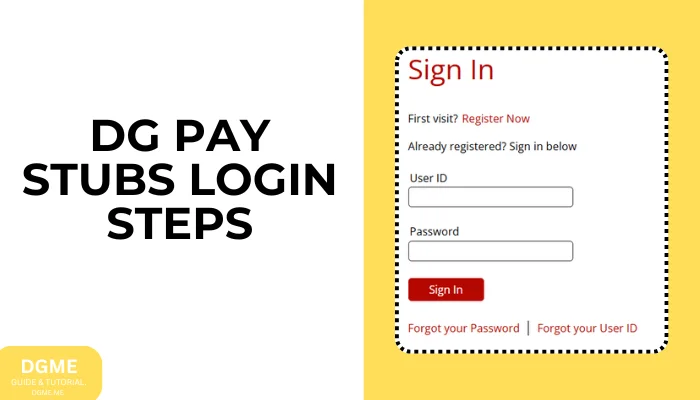
Employees usually mention that the paystub becomes visible a few hours before payday. If it isn’t showing yet, payroll is likely still finalizing hours.
If Your Paystub Isn’t Showing
These are the most common reasons employees run into:
- Payroll is updating in the background
- A missed punch that has not been approved
- The wrong pay period is selected
- The portal slows down on payday when traffic is heavy
If the issue continues, check your weekly timecard or ask your manager to review your hours.
Missing Hours or Lower Pay
If something looks wrong, compare:
- Your weekly timecard
- Your paystub details
- Any missed or unapproved shifts
Most issues come from a punch error or pending approval. Let your manager know so payroll can correct it on the next cycle.
Download or Print Your Paystub
- Open the paystub.
- Select Download or Print.
- Save the PDF to your phone or computer.
A PDF copy is the best format when you need income verification.
What Your Paystub Includes
Each Dollar General paystub usually shows:
- Gross pay
- Net pay
- Regular and overtime hours
- Taxes and deductions
- Direct deposit information
- Year-to-date totals
These sections help you confirm your pay is accurate and that hours match your timecard.
Former Employees
If you no longer work at Dollar General, your DGME login may stop working. To request older paystubs, contact Dollar General HR and provide:
- Your full name
- Employee ID
- Store number
- Dates you worked

They can send copies or explain the next steps.
Need the Full DGME Guide?
You can find the complete step-by-step guide for login, password reset, registration, and benefits on the homepage.
Disclaimer
DGME.me is an independent informational website and is not affiliated with Dollar General, Workvivo, or any official employee portal. We do not provide HR services, login credentials, or official support. For secure access and official records, always use the DGME portal at dgme.workvivo.us or contact the Employee Response Center.