DGME is the employee portal used by Dollar General staff to access work-related information. Employees can log in through the official Dollar General portal at websso.dolgen.net/ssoa/default.aspx?siteid=131.
Inside the portal, employees can view and manage important work details, including:
- Pay stubs and pay history
- Work schedules and time off details
- Health and insurance benefits
- Employee discounts and perks
- Training, learning, and required courses
- Tax forms and basic profile information
Some employees may face login issues such as error messages, temporary account locks, delayed verification codes, or confusion during first-time access.
In this guide, I explain everything in simple steps to help you log in successfully and understand common issues you may face now or in the future.
DGME Work Account Login
Before viewing the login steps, it is important to know that the portal is usually accessed using an EID (Employee Identification Number). Most employees log in using their Employee ID (EID). If you are unsure about your login details, contact your store manager or HR for guidance.
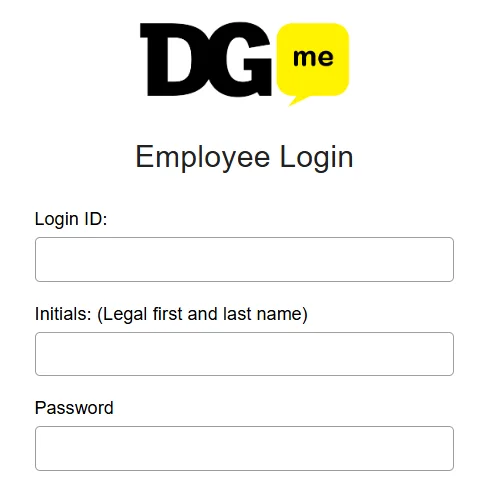
Step 1: Open the official website
Go to websso.dolgen.net/ssoa/default.aspx?siteid=131
Step 2: Enter your credentials
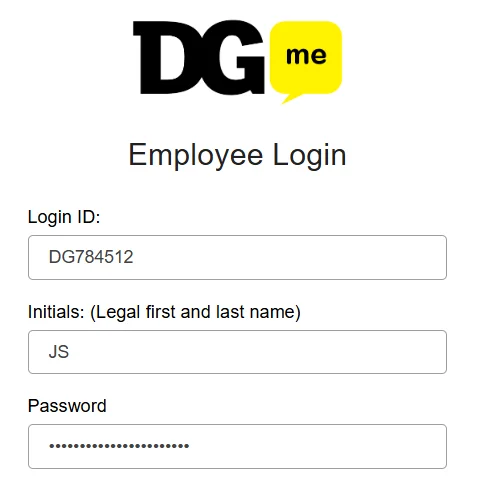
First, enter your Login ID, for example DG784512. Then enter your initials. For example, if your name is John Smith, you will enter “JS”. After that, enter your password.
Step 3: Account Authentication
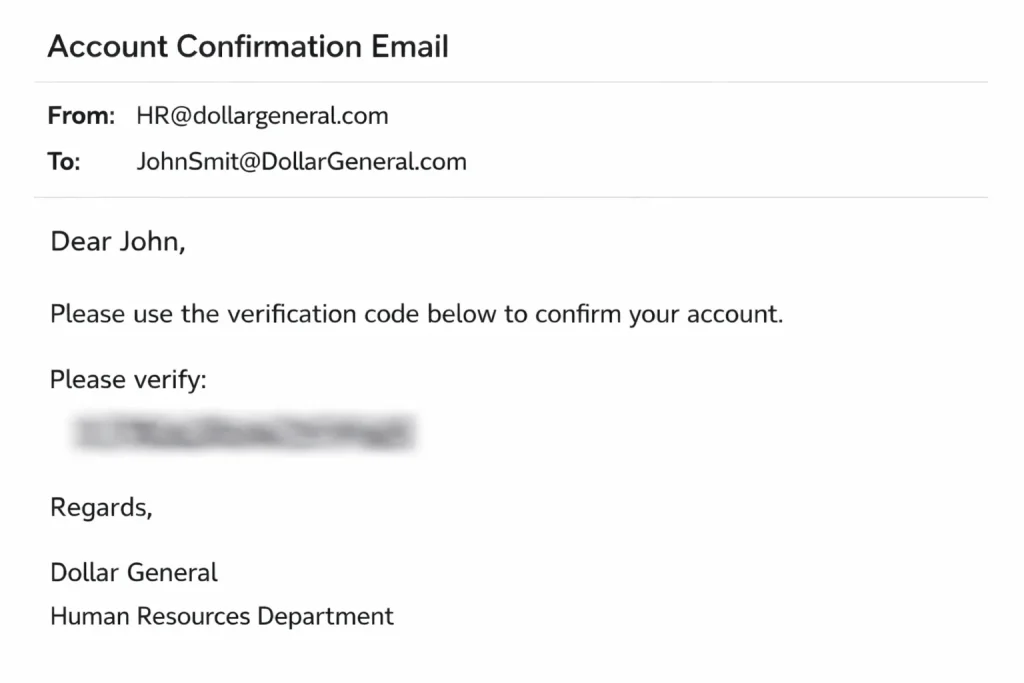
After entering your credentials, you may be asked to complete a security verification step during login, such as a verification code or additional confirmation.
Step 4: Access your login dashboard
After logging in, you can access your dashboard to view pay stubs, work schedules, benefits, training, tax documents, HR updates, and other employee tools.
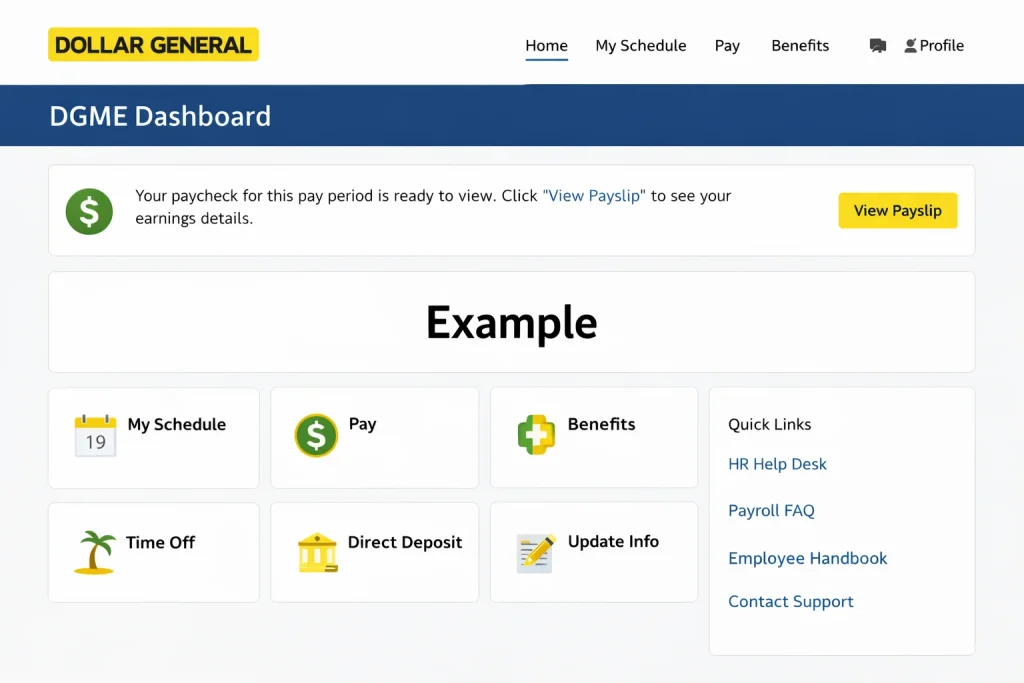
Tip: If you are unsure about your Employee ID or login credentials, contact your store manager or Human Resources for assistance.
Verify Official Login Page
Dollar General uses internal systems for employee services. Employees should always use the official DGME login link provided by the company or their store management. Avoid using unfamiliar or third-party websites for login access.
Information Needed to Sign In
To log in, you need the following details, which I mentioned earlier:
- EID (Employee Identification Number) or username
- Initials (legal first and last name)
- Password
Tip: If you have any issues with your Dollar General employee ID, contact Human Resources.
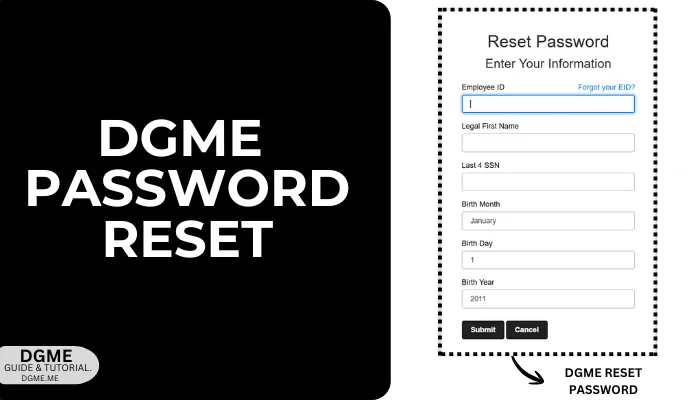
Recover Forgotten Password
- Go to the password reset page (websso.dolgen.net/ssoa/ResetPassword.aspx).
- Enter your Employee ID, legal first name, last four digits of your SSN, and date of birth, then click the Submit button.
- After that, you will receive an email from Dollar General with a password reset option.
- Set a new strong password and then log in again.
Tip: Always keep your password strong. If it gets exposed, your important information or employment details could be at risk.
Security Code Delivery Issues
Sometimes the verification code may not arrive or may be delayed due to a system glitch. To handle this, keep the following points in mind:
- Wait for 10 to 15 minutes, as email server issues can sometimes cause delays.
- If you do not receive the email after this time, try again after a short while. This can also be due to an internet issue.
- If you have tried 4 to 5 times at different times or on different days, contact your store manager or Human Resources using official internal company channels.
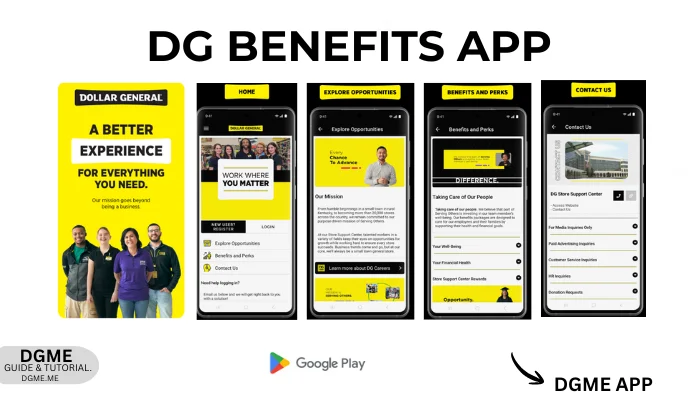
DGME Mobile Account Access
DGME is mainly accessed through a web browser. Some benefits and perks may be available through separate company tools provided by Dollar General.
- Health insurance details (medical, dental, vision)
- Retirement plans like a 401(k)
- Paid time off such as vacation and sick leave
- Employee discounts on stores, travel, food, and phones
- Wellness and mental health support
- Life and disability insurance
- Bonuses, rewards, or incentive programs
- Training and learning courses
- Extra perks like gym discounts or gift cards
- Company news and HR updates
Smishing & Scam Alert for Employees
You may see many fake websites that claim to be an official portal. Their goal is to steal your information and misuse it. If you receive any suspicious messages or emails, do not share your personal information and report the issue to Dollar General Human Resources or your store manager using official internal contact channels.
Temporary Account Lock Issues
This is a common issue that usually occurs and can be easily resolved by following these steps:
- Wait Time Before Re-Login
- Avoid Multiple Login Attempts
- Reset Password to Unlock Access
- Browser and Device Check
- Security Code Delivery Issues
- Contact DGME Support or HR
Tip: In simple terms, waiting for a short time, avoiding repeated login attempts, and contacting the proper support usually resolves the issue quickly.
Login Support Options
If you are unable to fix login issues on your own, contact Dollar General Human Resources or your store manager using the official contact details provided internally by the company.
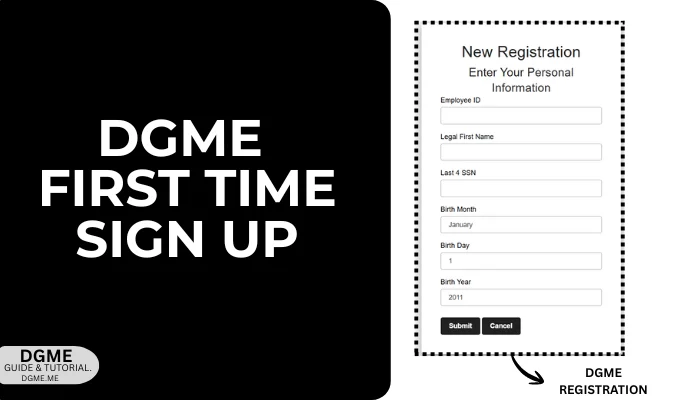
Access for New Employees
First-time users can get login access by completing the registration form. Follow these simple steps:
- Open the official registration URL: websso.dolgen.net/ssoa/NewRegistration.aspx
- Enter your details, such as EID, legal first name, last four digits of SSN, and date of birth.
- Click the Submit button.
- You will receive an email from the official Dollar General email account. Verify it.
- After verification, you will get your credentials. Set your strong password and then log in.
Note: Remember to save your password during registration to avoid issues when logging in later.
Account Security and Data Safety
Employees often discuss these login and security issues in online groups. Most of them happen because the system is designed to protect personal and work information.
- Temporary Account Lock: Happens after too many login attempts. Waiting a short time before trying again usually helps.
- Incorrect Login Details: If details do not match company records, access may fail. Double-check your information.
- Security Code Delay: Codes can arrive late or go to spam. Wait a few minutes and check all folders.
- MFA or Authenticator Issues: Phone changes or app access problems can block login. Company support can fix this.
- Unofficial Login Page: Using the wrong page can cause errors and security risks. Always use the official login link.
- Shared Device Use: Public computers can put your data at risk. Always log out after use.
- Browser Problems: Old browsers or stored data may cause errors. Updating and clearing the browser helps.
Tip: Strong passwords, patience during login, and official support keep your account safe.
FAQs
How often do employees usually check this portal?
Most employees check it only when needed. This is common around payday, to view schedules, or when there is an update. Daily use is not required.
Can I see older pay or work records here?
Yes. You can view past pay stubs, tax forms, and work records. Older information is usually available.
What should I do if the page is not opening properly?
Try refreshing the page first. If it still does not open, switch to another browser or try again later. The system may be busy.
Can I sign in from home or outside the store?
Yes. You can sign in from home, on your phone, or from any secure internet connection.
Does the system log me out if I stay inactive?
Yes. If you are inactive for some time, the system will log you out for security reasons.
Can I update my login details later?
Yes. You can update your password or other login-related details later.
Is there a better time to access the portal without issues?
Early morning or late at night usually works well. The portal may be slower on payday.
Which browser works best for this employee portal?
Edge or Chrome usually works well. Make sure your browser is updated.
Can I download or print my work information?
Yes. You can download or print pay stubs, tax documents, and other available records.
What happens if I close the page by mistake?
Nothing happens. You can log in again and continue.
Should I always log out after checking my details?
Yes. This is important, especially when using a shared or public computer.
Can I update my phone number or email inside the account?
Yes. You can update your phone number and email from your account settings.
Does management get notified when I log in?
No. Management is not notified when you log in normally.
Can I access the portal while traveling or outside the U.S.?
In most cases, yes. You may sometimes see extra security checks.
What should I do if something looks wrong after I sign in?
Check your details again after logging in. If something still looks wrong, contact HR or support.
Closing Note
The DGME login portal makes an employee’s work life easier, whether you are checking your payslip or accessing any work-related information through the web portal. I hope you found this guide helpful. If you face any trouble logging in or have any questions, you can leave a comment below and I will do my best to guide you. Thank you for reading this login page.
Disclaimer
DGME.ME is an independent information website. It is not affiliated with, approved by, or connected to Dollar General. For official employee services, login, or account matters, always use the official Dollar General DG ME portal.